Contrast checker
Put two colours in and get the ratio between them, plus which WCAG 2.2 criteria they pass. Text size decides the requirement, so the answer is a set of results rather than one verdict — and the preview shows what the pair actually looks like.
Hex, rgb(), hsl() or oklch(). Alpha is not supported; this tool is opaque-only.
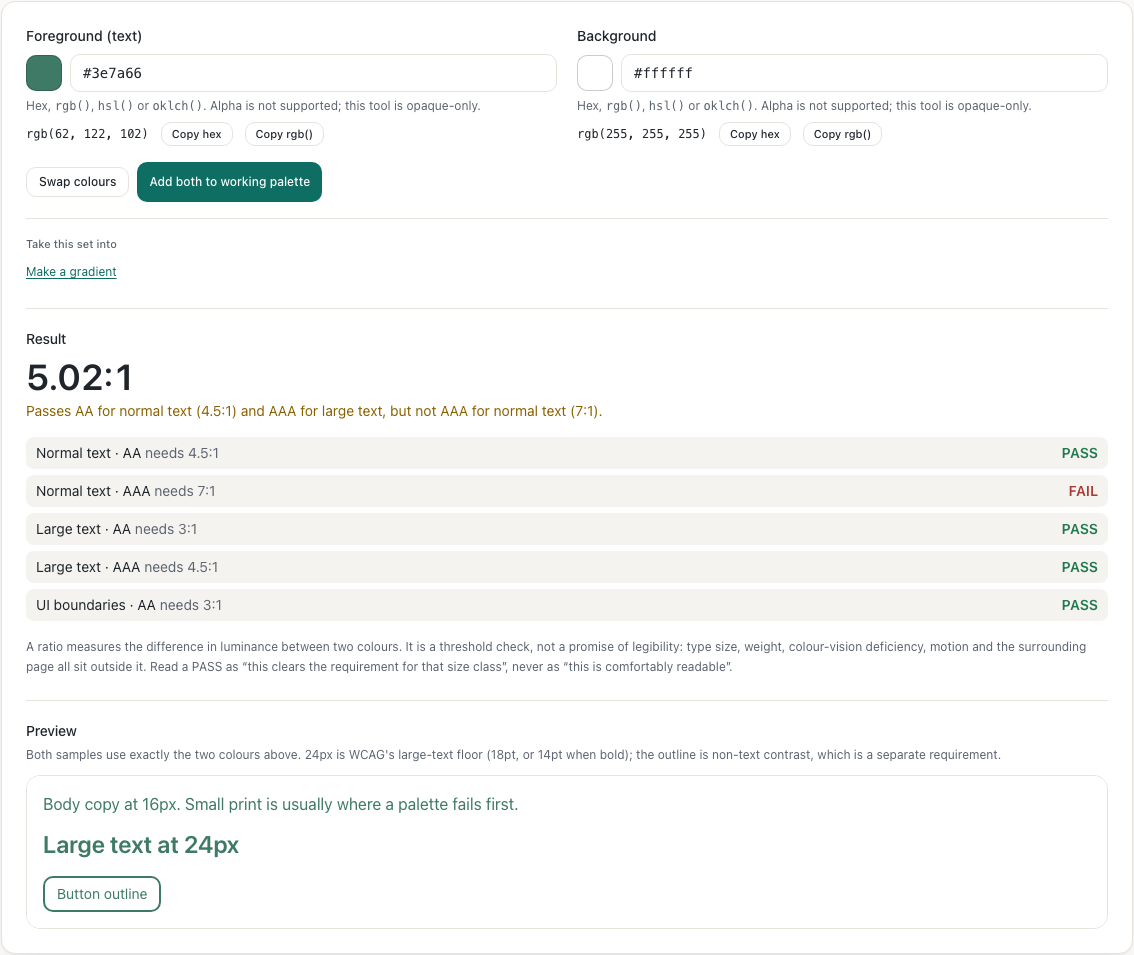
rgb(62, 122, 102)
Hex, rgb(), hsl() or oklch(). Alpha is not supported; this tool is opaque-only.
rgb(255, 255, 255)
Result
5.02:1
Passes AA for normal text (4.5:1) and AAA for large text, but not AAA for normal text (7:1).
Contrast 5.02:1. Passes AA for normal text (4.5:1) and AAA for large text, but not AAA for normal text (7:1).
- Normal text · AA needs 4.5:1
PASS
- Normal text · AAA needs 7:1
FAIL
- Large text · AA needs 3:1
PASS
- Large text · AAA needs 4.5:1
PASS
- UI boundaries · AA needs 3:1
PASS
A ratio measures the difference in luminance between two colours. It is a threshold check, not a promise of legibility: type size, weight, colour-vision deficiency, motion and the surrounding page all sit outside it. Read a PASS as “this clears the requirement for that size class”, never as “this is comfortably readable”.
Preview
Both samples use exactly the two colours above. 24px is WCAG's large-text floor (18pt, or 14pt when bold); the outline is non-text contrast, which is a separate requirement.
Body copy at 16px. Small print is usually where a palette fails first.
Large text at 24px
Button outline
Why one grey can pass and the next one fail
A threshold check is decided at 8-bit precision, so the last step either side of a boundary is one level of one channel. These are measured with the same code this page runs, not copied from a table:
- 3:1 —
#949494on white is 3.03:1 and passes;#959595is 3.00:1 and fails. If you were rounding to two decimal places before comparing, this is the pair where that decision matters. - 4.5:1 —
#767676on white is 4.54:1 and passes;#777777is 4.48:1 and fails. This is the boundary for normal text and, separately, for large text at AAA. - 7:1 —
#595959on white is 7.00:1 and passes;#5a5a5ais 6.90:1 and fails. Only normal text is held to this.
That is also why this page reports a ratio to two decimals but compares at full precision: a rounded ratio can look like it clears a threshold it does not.
What each result does and does not mean
- Normal and large text are different requirements. WCAG treats 18pt (24px), or 14pt (18.66px) when bold, as large text — such text may be set at a lower ratio. The same two colours can therefore pass for a heading and fail for a paragraph, which is why this tool reports both rather than one number with a tick.
- UI boundaries are a separate criterion. The 3:1 requirement for control outlines and meaningful graphics comes from SC 1.4.11, not from the text rules, so this page lists it separately instead of folding it in.
- A ratio is not a legibility guarantee. It compares luminance only. Weight, size, motion, colour-vision deficiency and the page around the text all sit outside it. A PASS means the pair clears that requirement — not that the design is accessible, which depends on everything else on the page too.
- WCAG 2.2, not APCA. WCAG 3.0 is still a Working Draft and APCA is not part of it as of 2026, so this tool reports the criteria that are actually in the current standard. Showing an APCA number would mean showing a figure we cannot validate against a published requirement. Whether a measured difference is one you can actually see is a separate question — the color challenge tests discrimination at controlled perceptual distances on your own screen.
Fixing a failing pair
Lightness is what the ratio measures, so a lightness change fixes a failure and a hue change
rarely does. In OKLCH the three components are independent, which makes that adjustment
predictable: keep the hue and chroma, move L until the ratio clears, and the
colour stays recognisably the same one. Paste either colour into the
color converter
to see its OKLCH values, and read
HEX, RGB, HSL and OKLCH explained
if the difference between those spaces is not yet useful.
Where to go next
If you have the colours but not the pair, the image color picker reads an exact pixel from a picture and gives you its hex, and palette from image extracts a whole set from one photograph — usually the fastest way to find a text colour that belongs with a background you already have. If a colour needs a name before you can discuss it, try the color name finder .